The problem
You send a text or an email with a link in it. Someone clicks. You never know. Meanwhile your contact list shows columns you do not use, and a voicemail means leaving the conversation to hear it.
What it does
On November 26, 2026, LeedAgent added four small tools.
- Trigger links. A link you put in a text or email. When a contact clicks it, they get the tags you chose. It can also start an automation.
- Your own columns. Choose which columns the contact list shows. Your choice is saved, and only you see it.
- Voicemail in the inbox. Play a contact's voicemail right in the conversation, with its transcript when there is one.
- Needs review. In Automation, a workflow built for you by AI or from a template shows a banner until you mark it reviewed.
How to use trigger links
-
Open Automation and press Trigger links, or go straight to app.leedagent.com/automation/trigger-links. A new account sees "No trigger links yet."
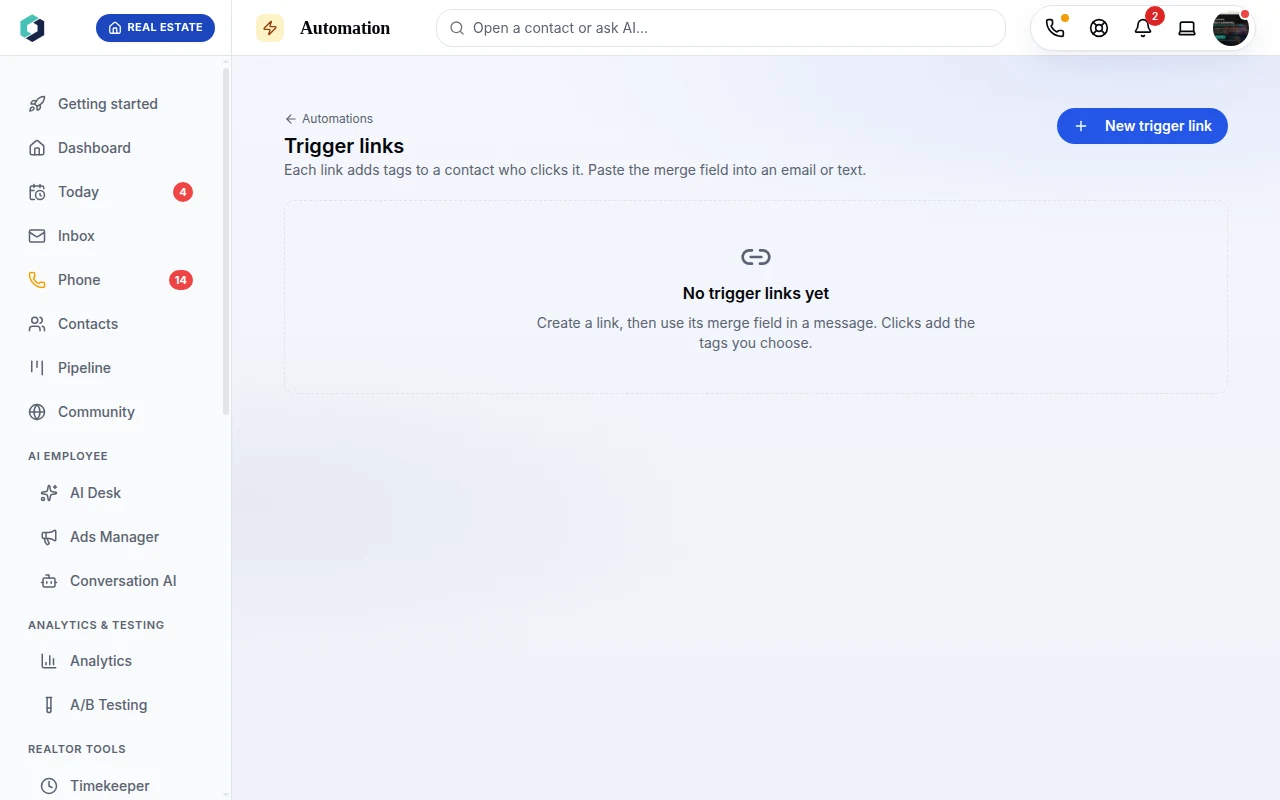 Trigger links page. Each link adds tags to a contact who clicks it.
-
Press New trigger link. Give it a name, paste the full destination address (it must start with https://), and type the tags to add on click. Leave Active on. When it is off, clicks do not add tags.
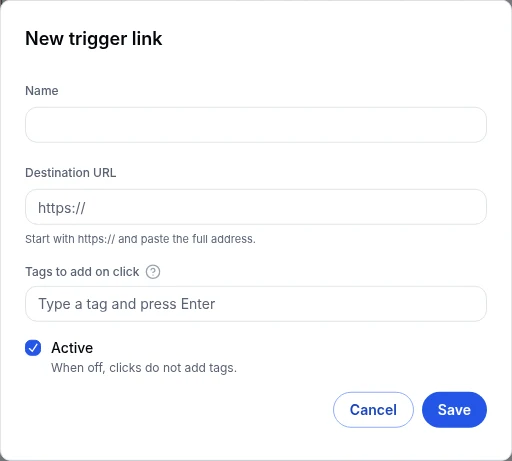 Name, where the link goes, and the tags to add.
-
Save it, then paste the link's merge field into an email or a text. The page says it plainly: "Paste the merge field into an email or text."
How to choose your columns
On the Contacts page, press Columns. The window is called Choose columns and says "Only you see this choice." Tick what you want, press Save. The contact name, the checkbox and the row buttons always show. There are 56 columns to pick from, grouped as Contact, Activity and Where they came from, and there is a search box.
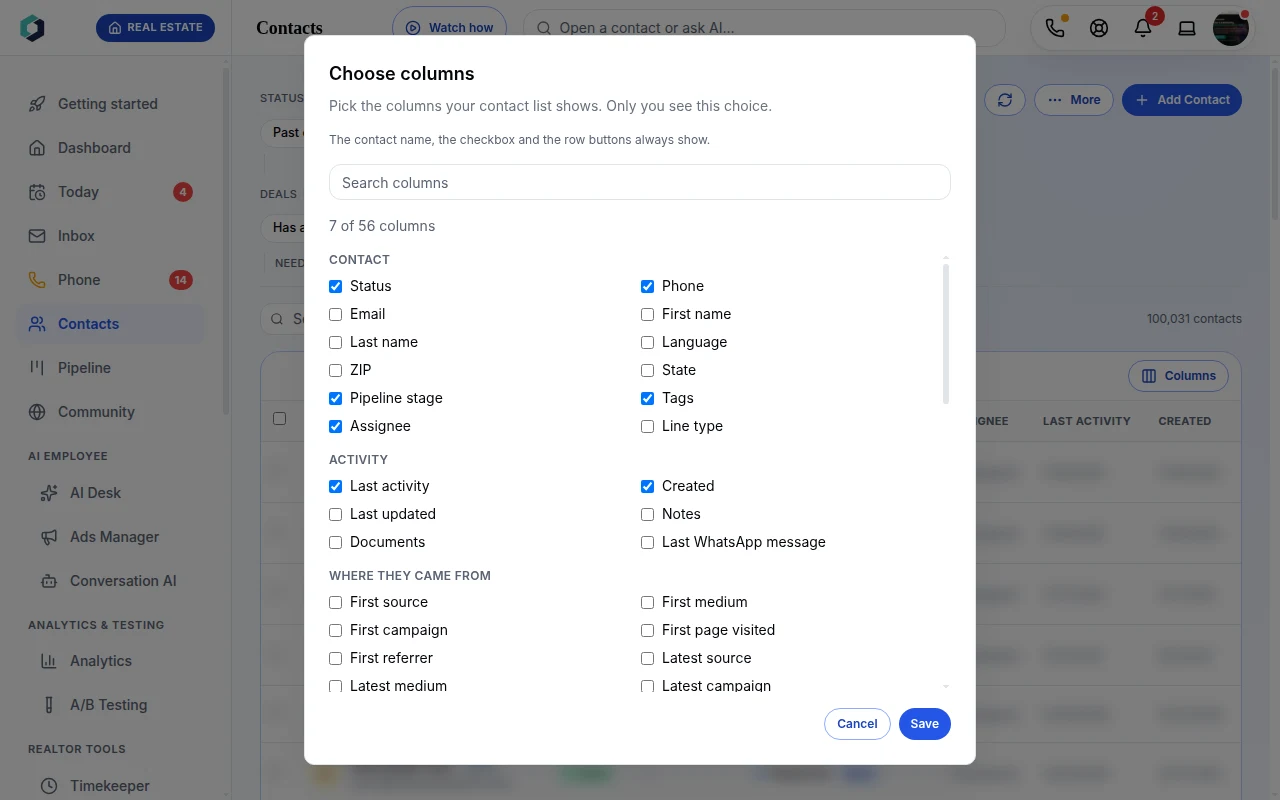 Pick the columns your list shows. 7 of 56 are on by default here.
Voicemail and Needs review
In the Inbox, a contact's voicemail shows in the conversation with a play button, and a transcript when there is one. In Automation, a workflow made by AI or from a template shows a banner asking you to review it. Check it, then mark it reviewed.
Who has it
Trigger links live under Automation, which is on Solo and the Community 97, 197 and 297 plans. The Inbox is on those plans too. Contacts is on every plan. Details are on the pricing page.
Try it
Make your first link: Trigger links. No account yet? Start free.