The problem
Someone lands on your mortgage page and wonders what a house costs per month. If the page cannot tell them, they leave to find a calculator somewhere else.
What it does
On November 26, 2026, new lender starter pages got a Payment calculator section. Visitors type their own numbers and see an estimated monthly payment. You can add your own Apply now link, and the button shows only when you do. Pages you already made do not change.
How to see it
Your industry mode has to be Lender / Loan Originator (Settings > Business > Industry Mode).
-
Open My Sites (app.leedagent.com/sites), press New page, then Use a template. The lender list has Mortgage lander, Lending site, Lead lander, Business page and Links page.
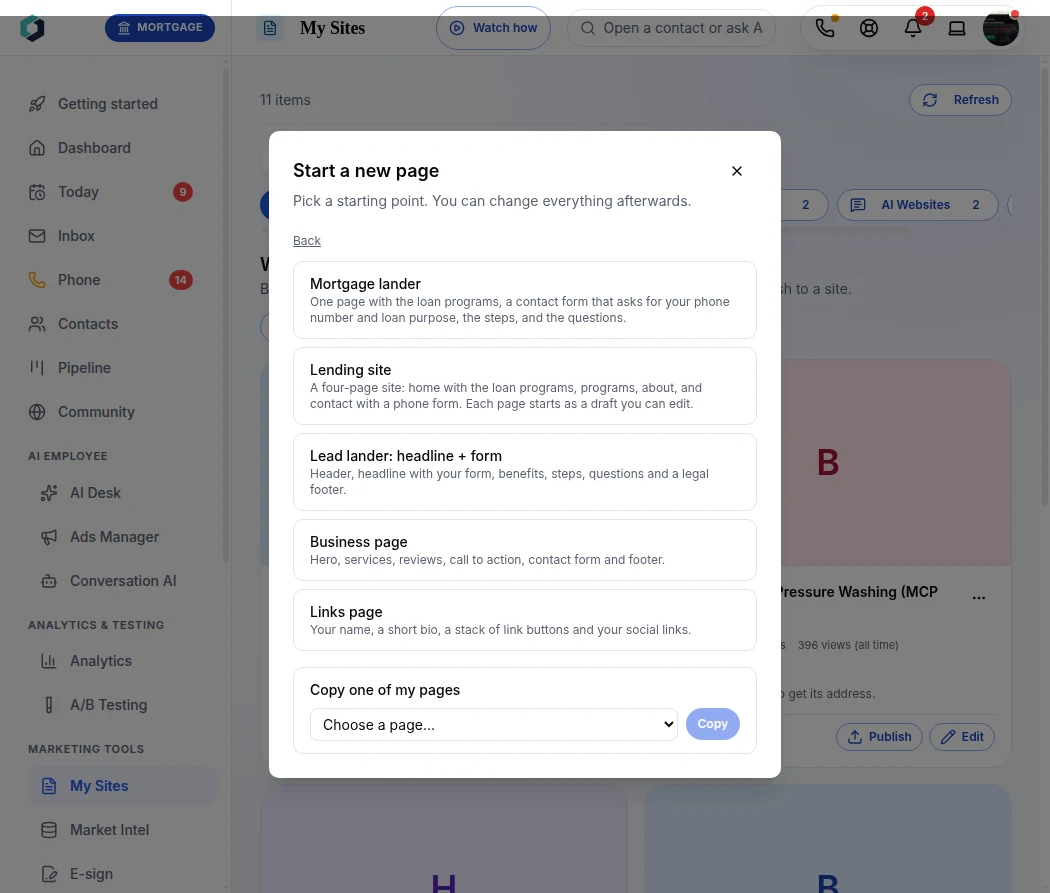 The lender templates. Mortgage lander includes the calculator.
-
Pick Mortgage lander. In the editor, the section list on the left shows Payment calculator between Card Grid and Numbered Steps.
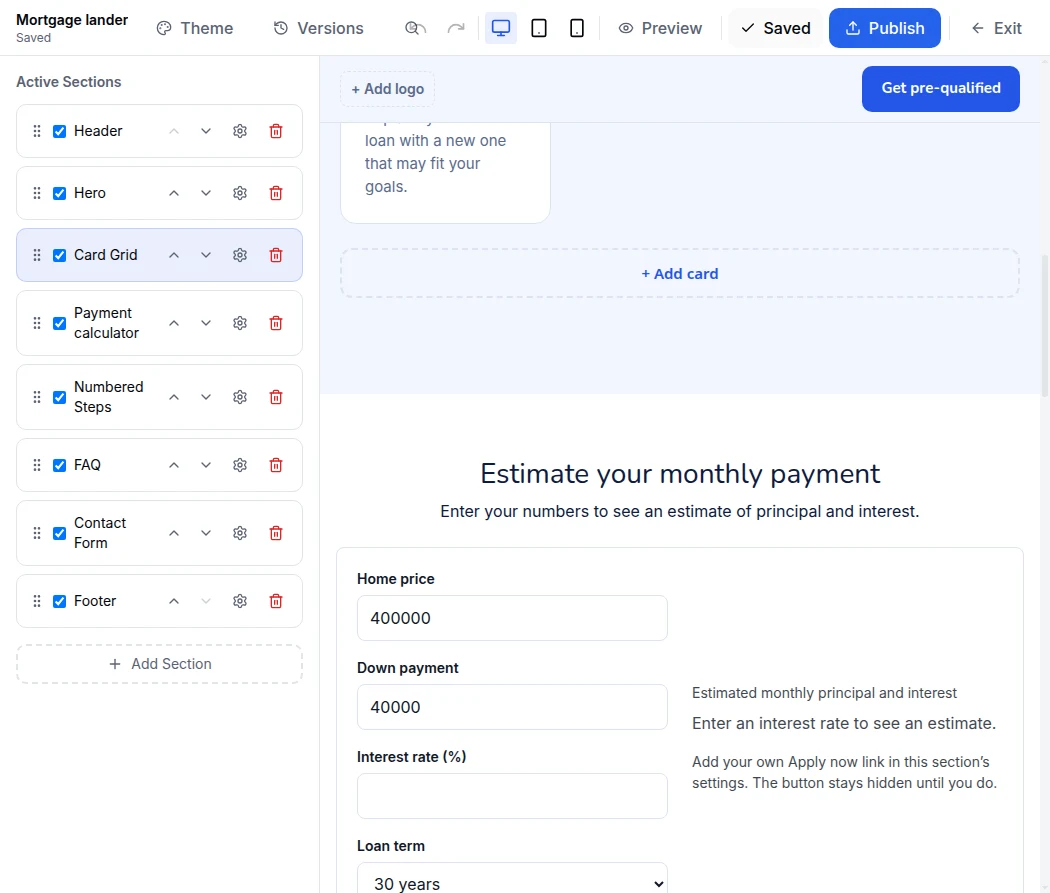 The calculator in the editor. Home price, down payment, interest rate and loan term.
-
A visitor fills in the numbers. The interest rate starts empty, so the page asks for one before it shows an estimate. With a $400,000 home, $40,000 down, 6.5% and 30 years, it showed $2,275 a month on a $360,000 loan, in the editor preview and on the published page. It is principal and interest only.
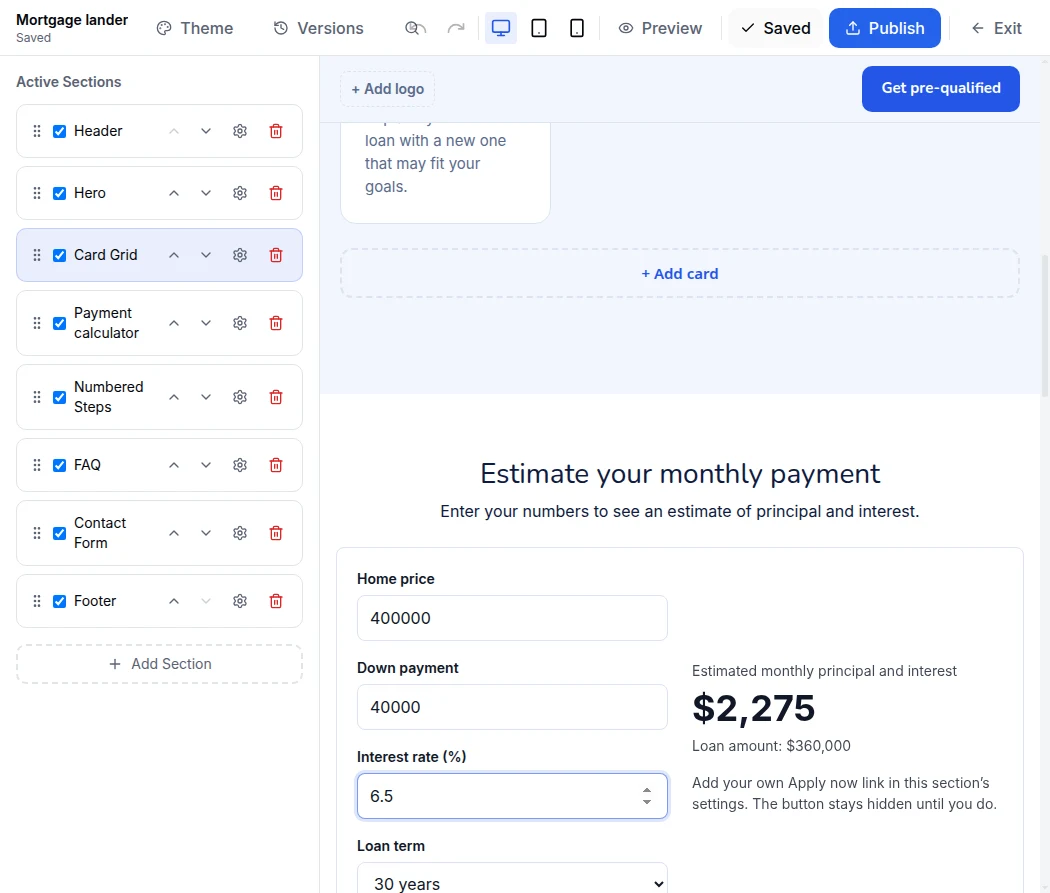 A sample estimate.
-
Press the gear next to the section to open Payment calculator settings. Paste your own application page into Apply now link (it must start with https://). Leave it empty and the button stays hidden. With a link set, an Apply now button shows under the calculator and opens your link in a new tab. You can also change the button text, title, subtitle and the disclaimer.
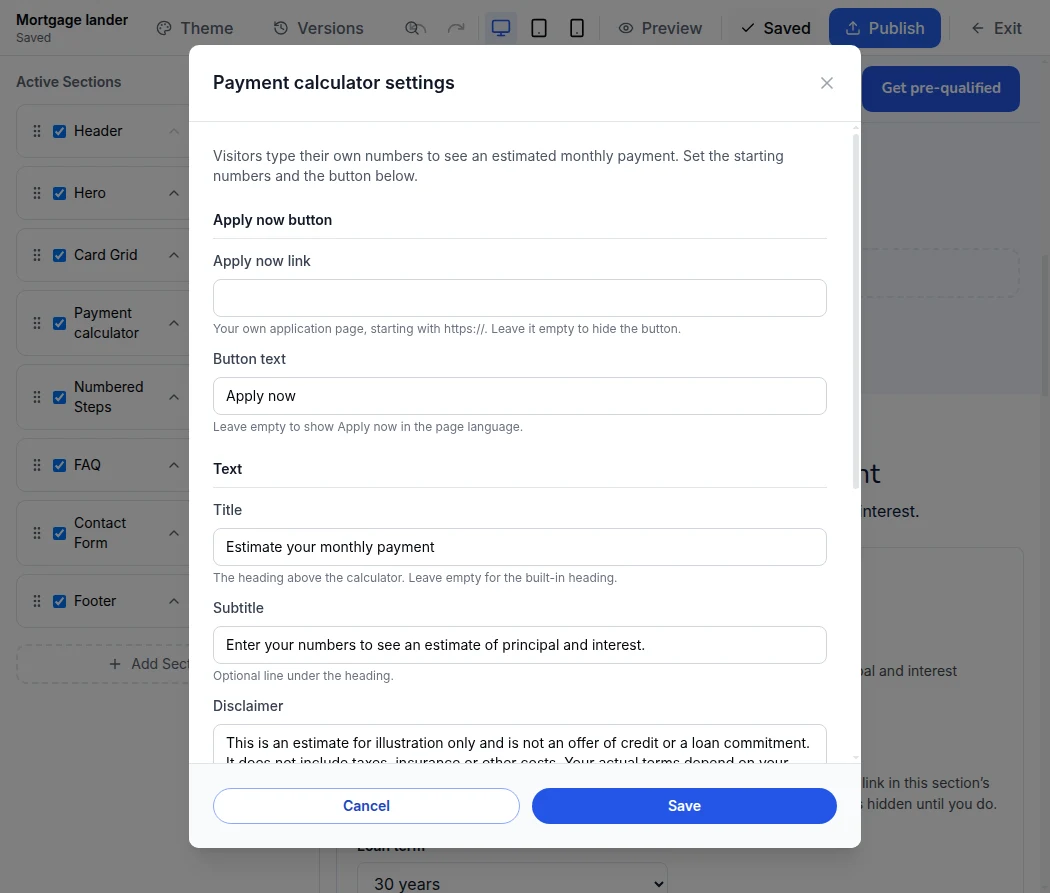 Settings for the section. Add your link here.
The default disclaimer says the estimate is for illustration only, is not an offer of credit or a loan commitment, and does not include taxes, insurance or other costs. Read it and change it only if it still says what your compliance rules need.
Who has it
Lender mode starts at Solo. Free and Free Plus get General mode only. See the pricing page.
Try it
Open My Sites and start a Mortgage lander. No account yet? Start free.