The problem
You know you should be running ads. But building a campaign means a dozen decisions: the offer, the words, the image, the budget, the settings. So it stays on the to-do list.
What it does
As of October 30, 2026, you can tell your LeedAgent AI "launch my ads." It checks that your account is ready, then builds the campaign for you. Nothing is spent until you approve it.
You find it in Settings > Launch my ads.
How to use it
-
Open Settings > Launch my ads. The Ready to launch card lists what your AI checks before it builds anything: Meta (Facebook) connected, an active ad account, a Facebook Page, the pixel on your pages, your licensed states, a professional headshot and a company logo. Each row says Done or Missing. A Fix button sits next to anything missing.
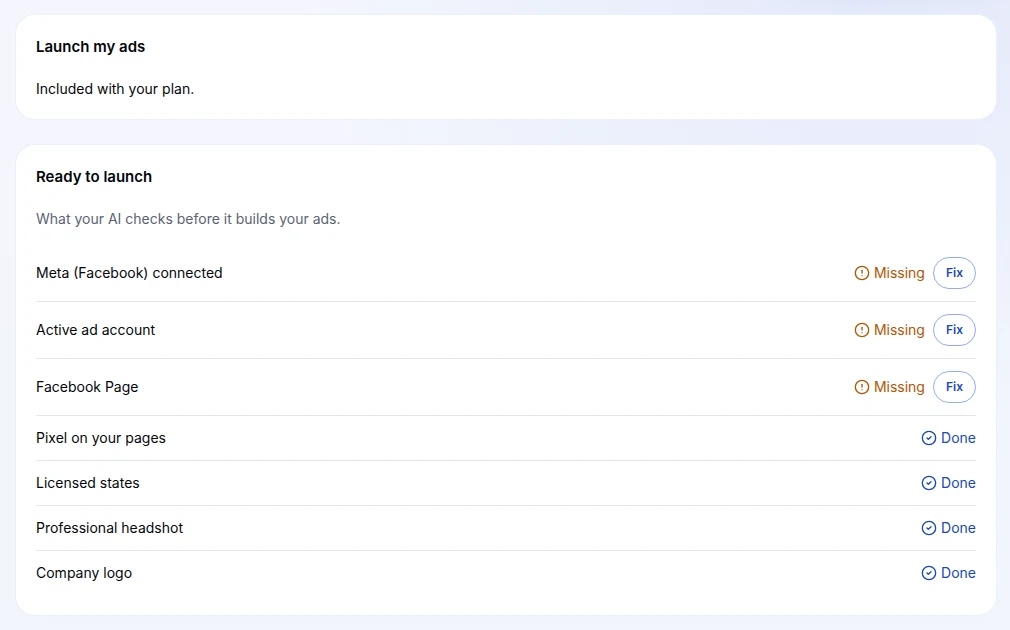 The setup checks. This test account has no Facebook connection, so those rows say Missing.
-
Fix what is missing. Connecting Facebook is done in Settings > Integrations.
-
Press Launch my ads, or just tell your AI "launch my ads." The page says your AI checks your setup step by step and builds your ads, and that nothing is spent until you approve.
-
Look at what it built and approve it, or ask for changes.
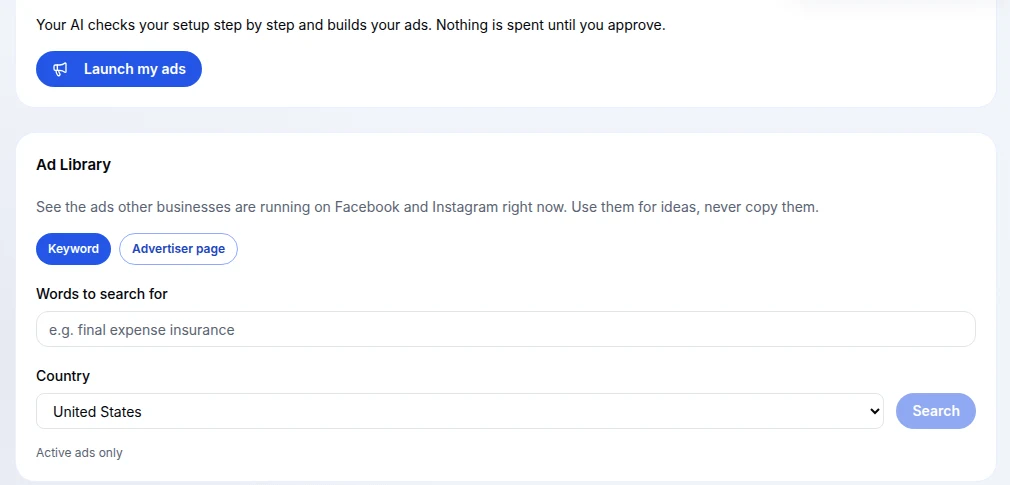 The Launch my ads button, and the Ad Library below it.
The same page also has an Ad Library: search the ads other businesses are running on Facebook and Instagram right now, by keyword or by advertiser page, for ideas. It says to use them for ideas, never to copy them. Your past launches are listed lower on the page, each with an Open in Ads Manager link.
Good to know
- Launch my ads builds ads. It does not promise results, and your ads depend on your offer, your budget and your market.
- You build your own ad: your offer, your words, your image. If your community has a kit ad, it is optional.
Who has it
Launch my ads is $79 a month. It is included at no charge for the host on the Community 297 plan. See the pricing page for plans.
Try it
Open Settings > Launch my ads and see which checks are Done. No account yet? Start free.