The problem
A client has a policy. The carrier is in one place, the family members in another, the paperwork in a folder, and the commission in a spreadsheet. When they call, you open four things.
What it does
On November 26, 2026, insurance mode got a page for each policy. The page says it holds "plan, people, commission, files and history." It has eight tabs: Policy, Members, Documents, Notes, Reminders, Tasks, Commissions and Activity.
Two more things shipped with it:
- A Turning 65 soon chip in Contacts.
- Market Intel filters for insurance: Health (ACA) and Medicare, plus Life insurance and Final expense.
How to use it
These steps need Insurance Agent as your industry mode (Settings > Business > Industry Mode).
-
Open Policies in the left menu, or go to app.leedagent.com/crm/policies. It lists every policy on your account. On the left are folders such as All policies, Renewing in 60 days and Lapsed or cancelled, each with a count. Above the list you can filter by line, carrier, status, plan year and renewal dates.
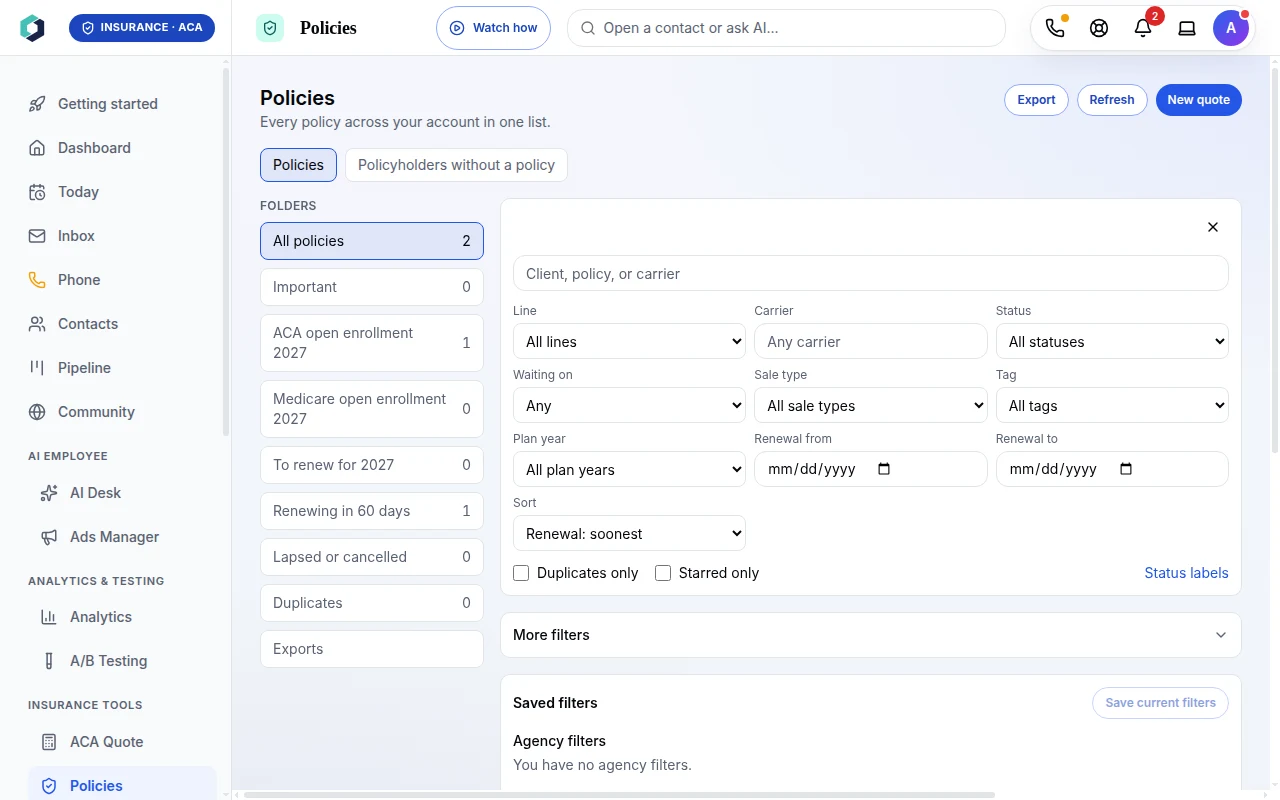 The Policies page. Every policy on the account, with folders and filters.
-
Click a policy. The Policy tab shows a summary (carrier, effective, renewal and termination dates, status), plan details with policy number and monthly premium, and ACA details.
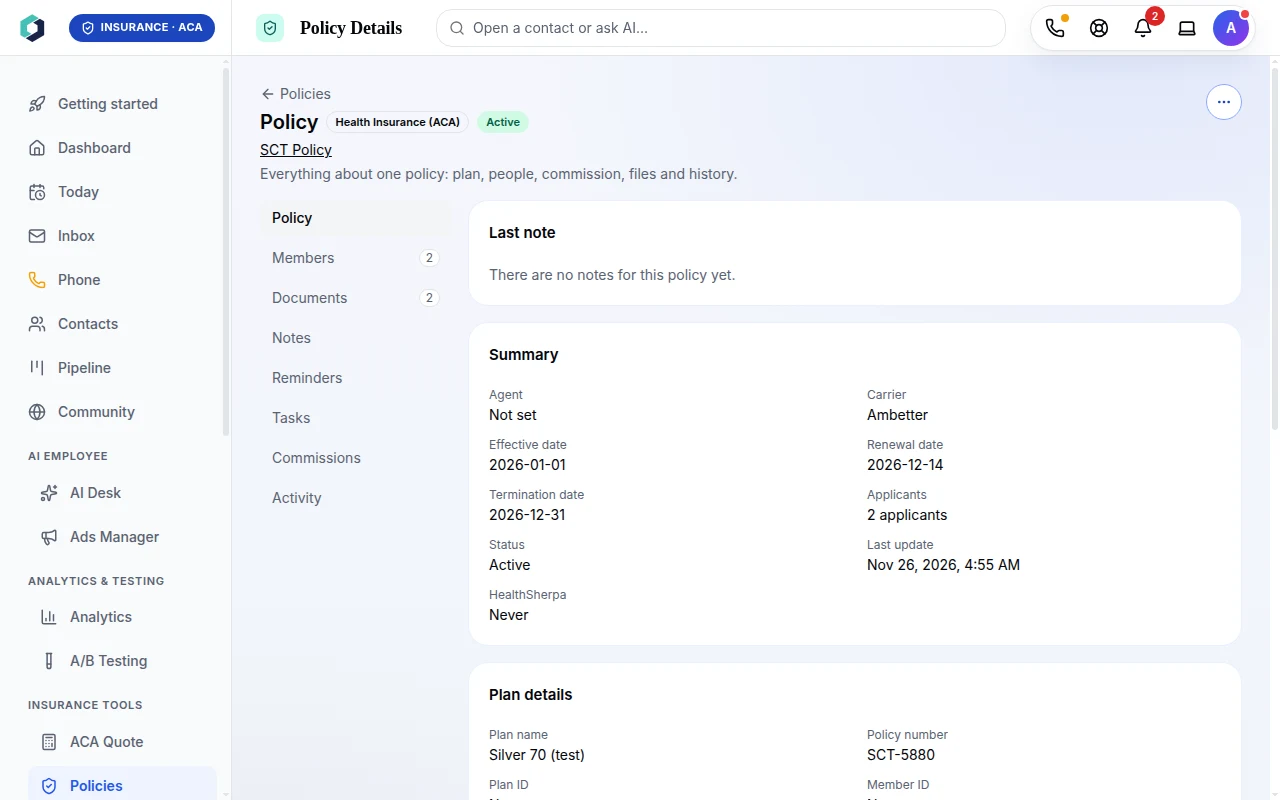 One policy: summary, plan details and the eight tabs.
-
Open the Commissions tab. You see rate, expected, paid, chargebacks and net paid, and a form to add a payment or a chargeback.
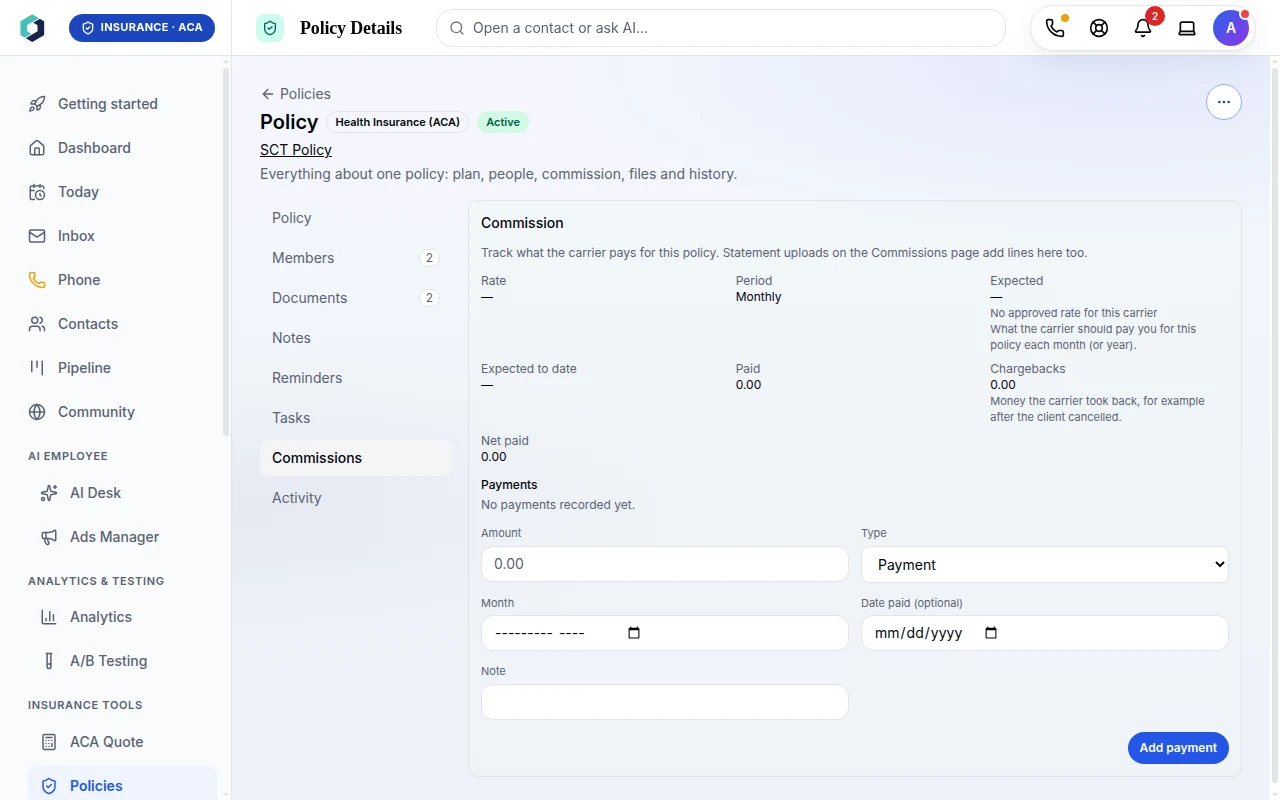 Commissions for this one policy.
-
The Members tab lists the people on the policy with their role and coverage. Documents lists the files, each with a Download link. Activity shows the history.
-
In Contacts, the Turning 65 soon chip sits next to Policyholders. The test account used here has no one turning 65, so the list came back empty.
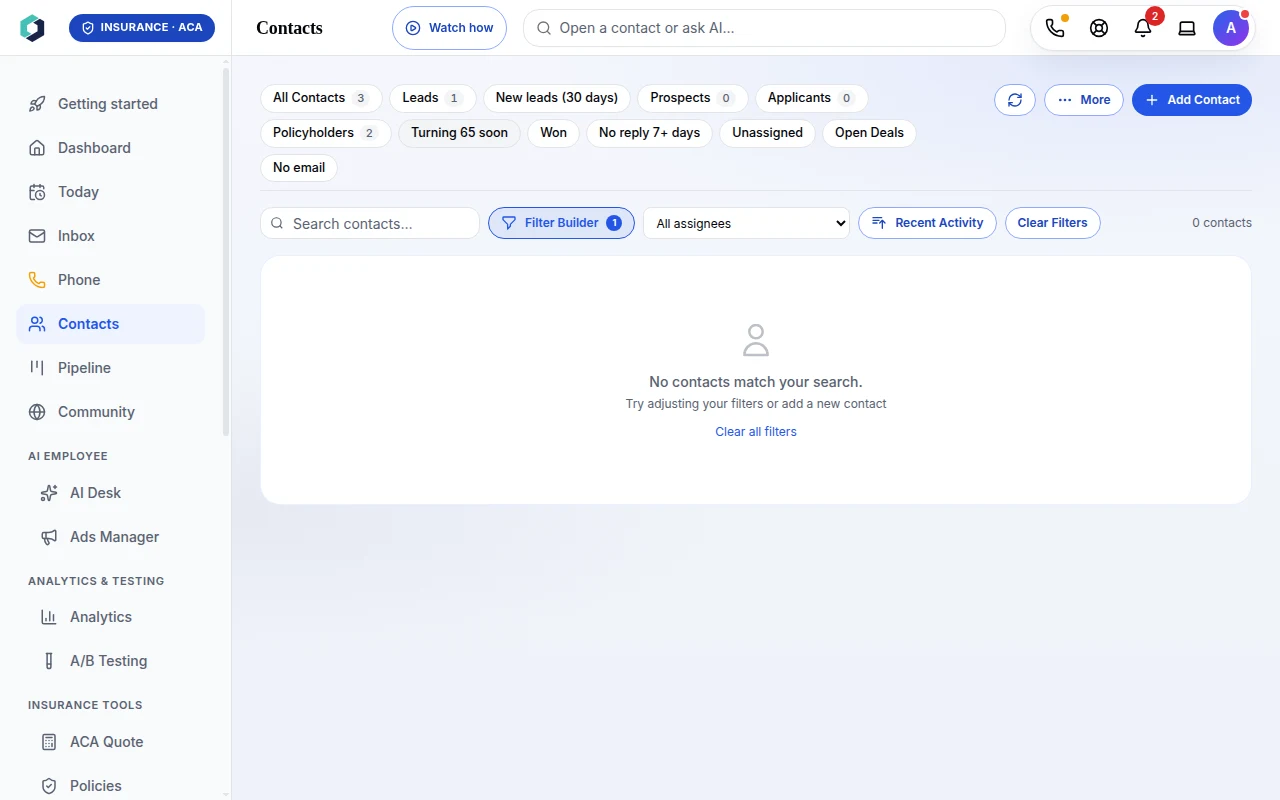 The Turning 65 soon chip.
-
Open Market Intel and pick a vertical from the second row: All insurance, Health (ACA), Medicare, Life insurance or Final expense. It shows ads saved from earlier searches. The page says nothing is collected on a schedule.
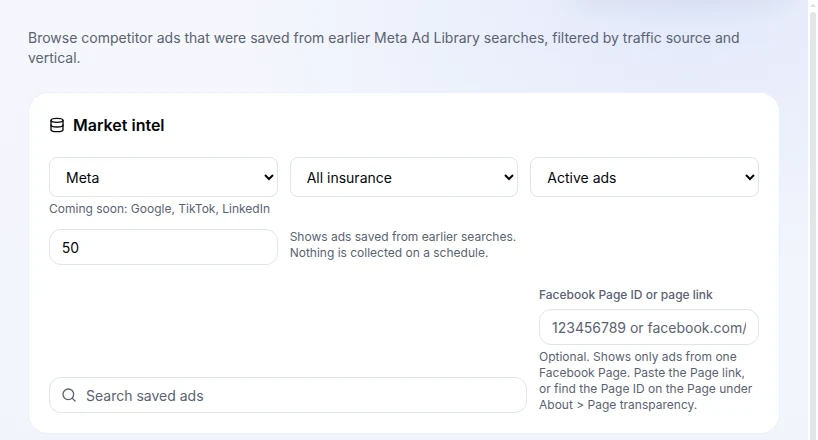 Market Intel filters.
Who has it
Industry modes and Market Intel start at Solo. Free and Free Plus get General mode only. See the pricing page for the plans.
Try it
Switch to insurance mode and open Policies. No account yet? Start free.