The problem
Someone books a visit, a consultation or a quote call. Then they don't show up, and you drove across town or held the hour for nothing. Or you chase a deposit by text after the fact. Taking payment at the moment of booking fixes both.
What it does
As of November 21, 2026, you can set a price on any booking type in your LeedAgent calendar. The person pays when they book. The money goes straight to your own Stripe account, so you see payments, refunds and payouts in Stripe. Stripe's fees are paid by your Stripe account.
Leave the price empty and the booking type stays free, like before.
How to set it up
-
Open your booking pages. In the app, go to Calendar, then Settings, then Booking pages. Each booking type you share is listed there.
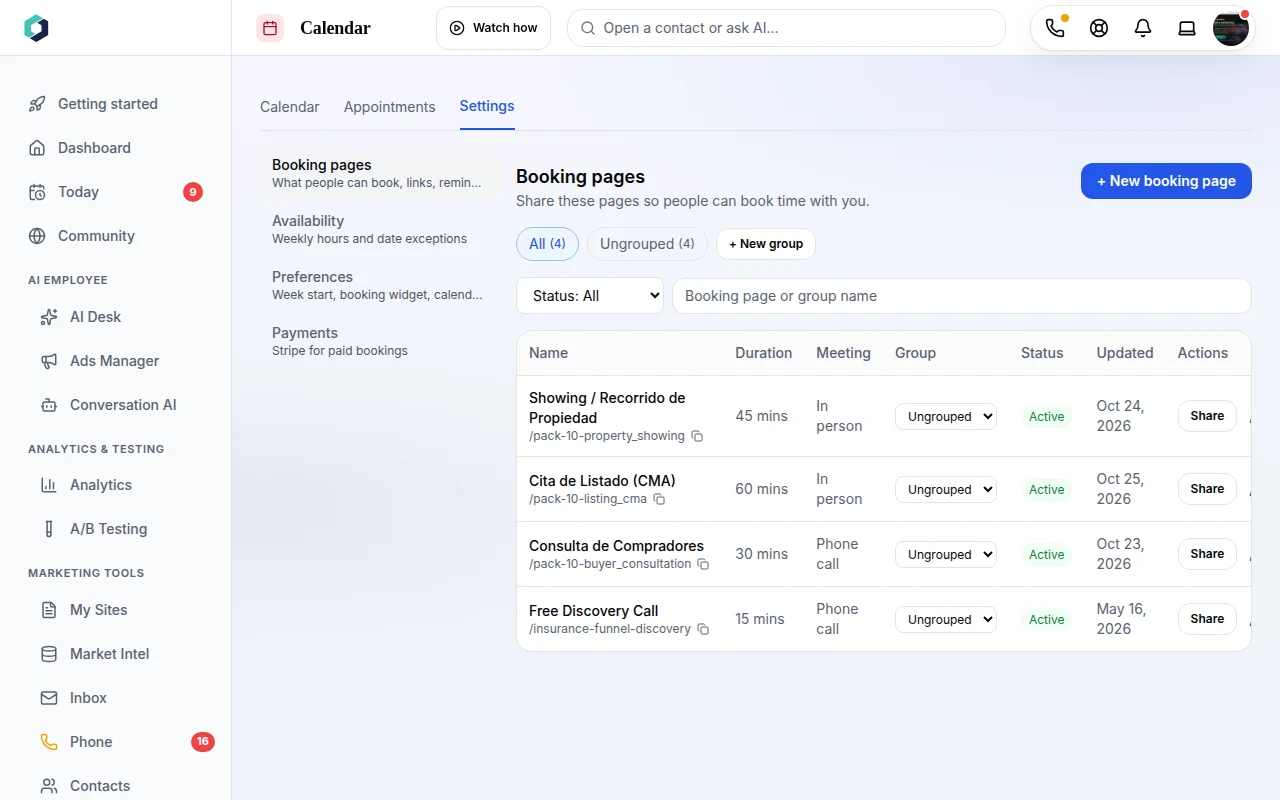 Calendar > Settings > Booking pages lists every booking type.
-
Connect Stripe. Go to Calendar > Settings > Payments. If Stripe is not connected, you will see a Connect Stripe button. Your Stripe account has to be connected and able to take payments before you can save a price. If it is not, the app says "Finish connecting Stripe first."
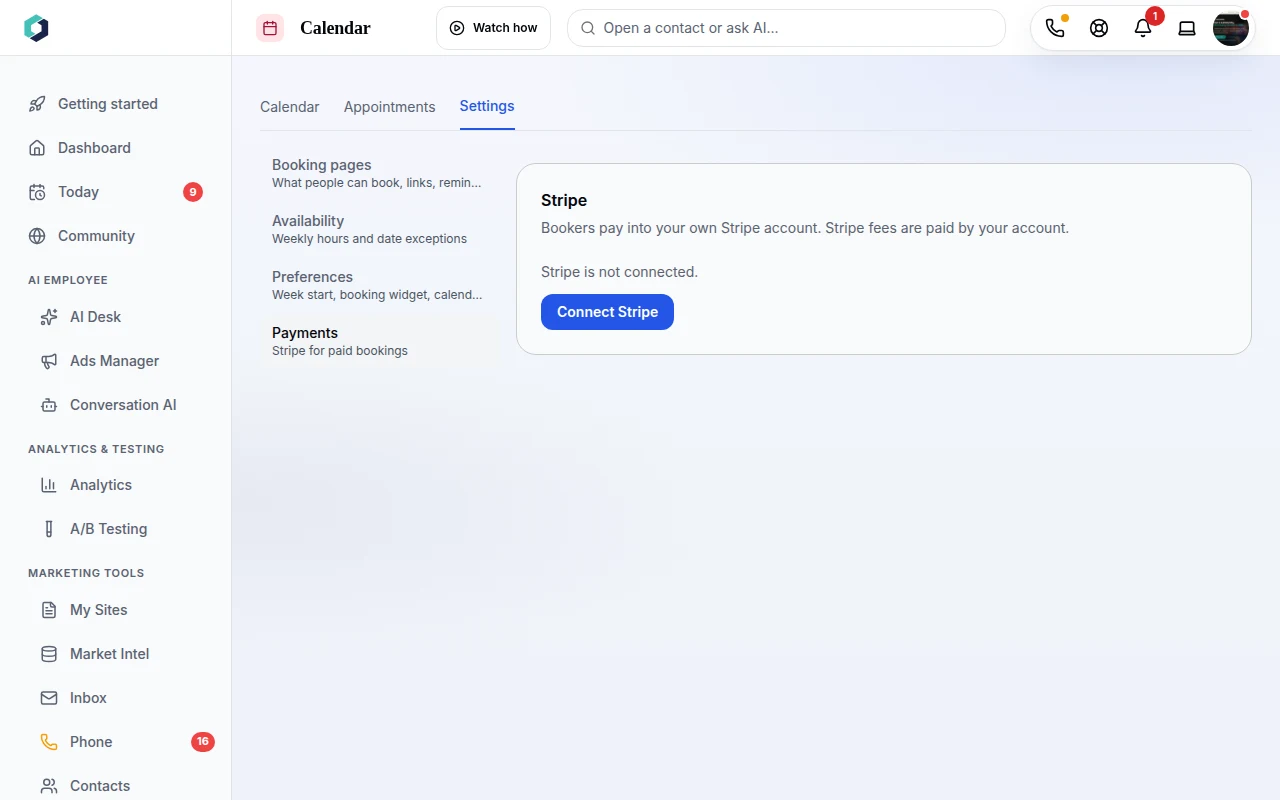 Payments settings: Stripe is not connected yet.
-
Set the price. Open a booking type and choose Booking form. At the bottom, the Payment at booking box has a Price field and a Currency list. Type a price like 25 or 25.50. Currency can be USD, EUR, GBP, CAD or AUD.
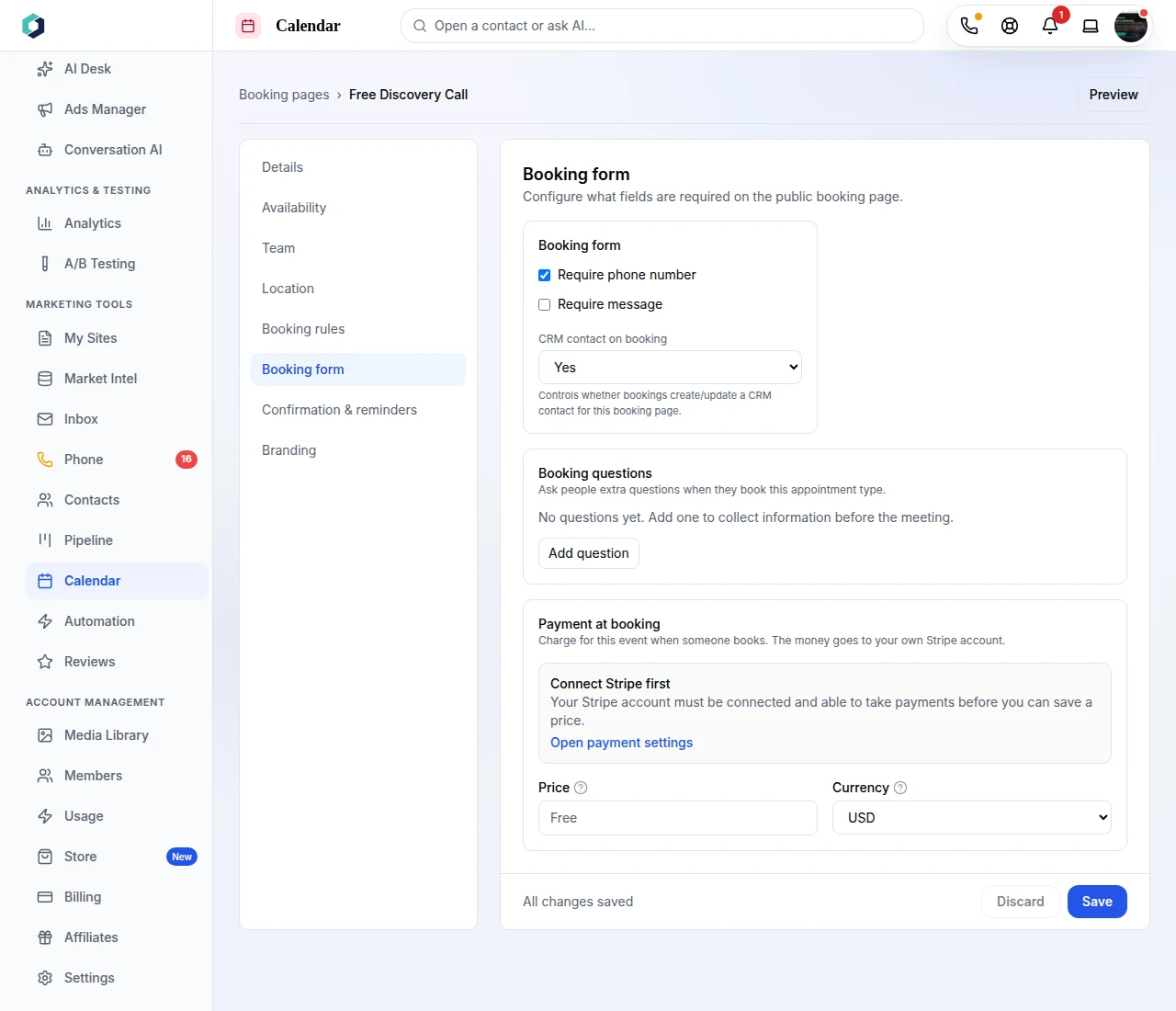 Price and Currency sit at the bottom of the Booking form section.
-
Save, then share your link. Anyone who books that type pays on Stripe first.
Two things to know. A paid booking is confirmed by the payment, so turn off "Require confirmation" on that booking type before you set a price. And if you cancel a paid booking, it is not refunded for you: refund it from your Stripe dashboard.
Who has it
Payments at booking are on for every host on Solo, Community 97, Community 197 and Community 297. They are not on the Free or Free Plus plans. See pricing for what each plan includes.
Who it helps
If you sell time, this is for you. Home service pros can ask for a deposit on an estimate visit. Real estate agents can charge for a paid consultation or a buyer strategy session. See how home services and real estate teams use LeedAgent, or browse more guides.
Try it
Open Calendar > Settings > Payments in your account: app.leedagent.com/calendar. Not on LeedAgent yet? Create a free account.