The problem
A community works when people come back. Posts and lessons get a visit, then the group goes quiet. Members have no easy place to say hello to each other, and no reason to check in on a day when you did not post.
What it does
As of November 17, 2026, three things are new in your community:
- Group chat. One chat room for the whole community, in its own tab. The page says messages show in each person's language.
- Streaks, kudos and badges. A streak counts the days in a row a member does something in your community: a post, a reply, a like, a finished lesson or a kudos. Streak milestones (7 days is the first) and levels show as badges on the member's profile. Kudos let you thank a member with a short note.
- Brand colour. Pick the accent colour members see on your community. Until you pick one, it stays our teal.
How to use it
-
Open Community in the left menu and pick your community. Open the Group chat tab, write a message and press send.
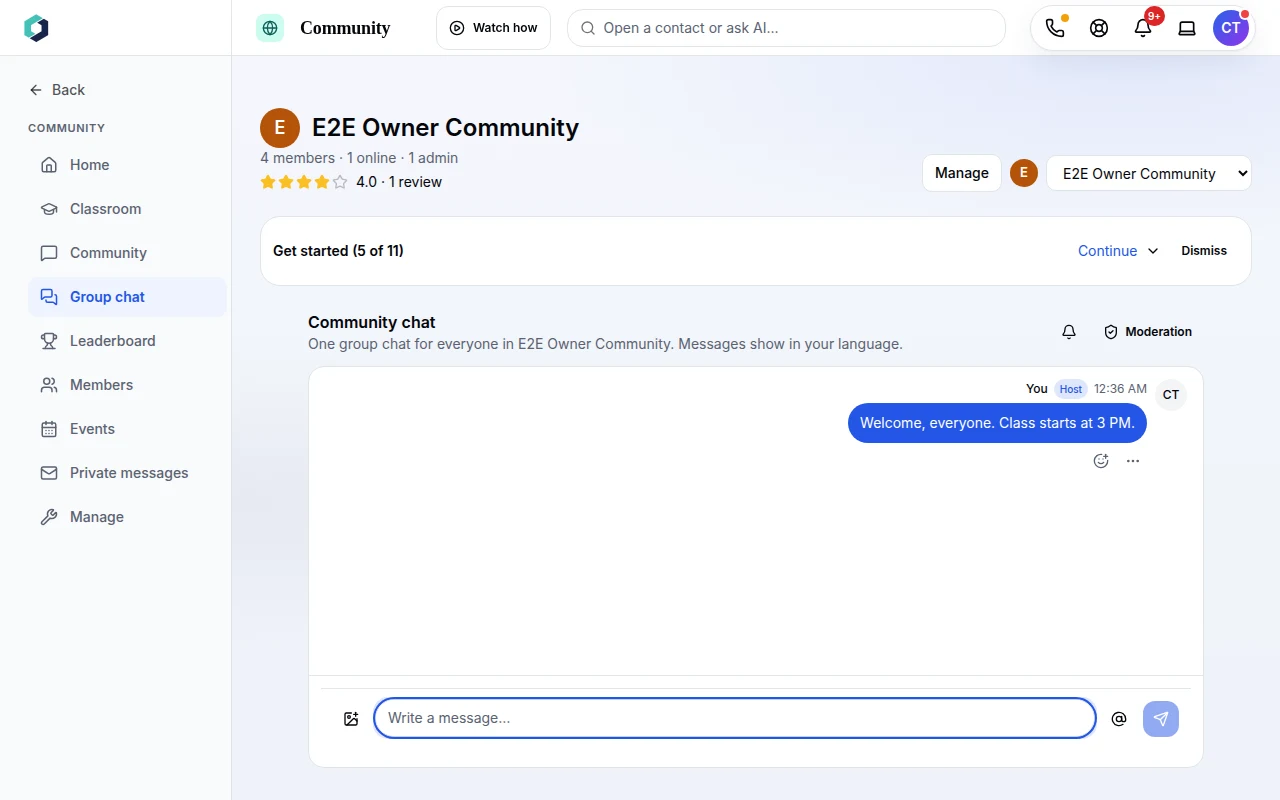 The Group chat tab. Your message shows on the right, with a Host label.
-
Open Members and click a member's name. Their card shows their level, their streak, the next milestones to earn and any kudos they have received.
-
Press Give kudos, write a short note and press Send kudos. The note shows on their card. You can remove a kudos you gave with Remove. Kudos are limited to one per member per day.
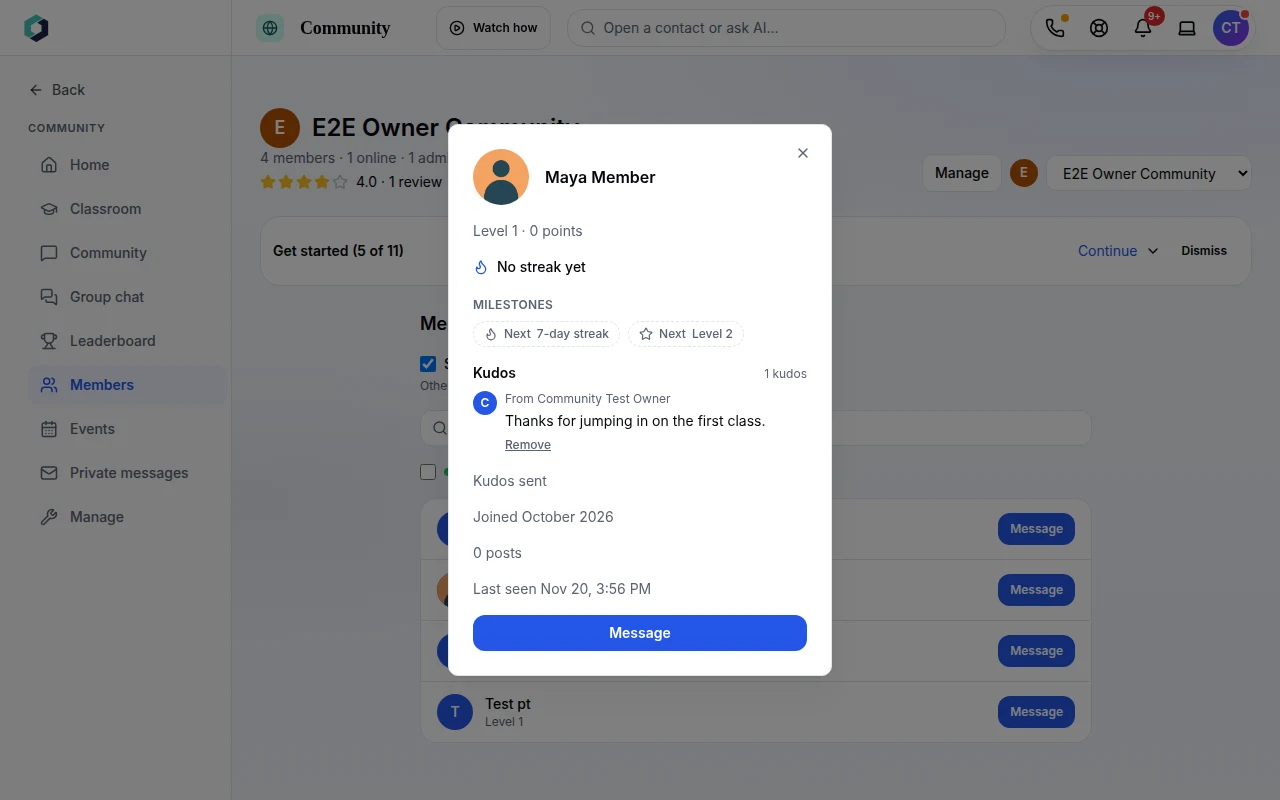 A member card: level, streak, milestones and kudos.
-
To set the colour, open Manage, then Settings. In the Brand colour card, pick a colour or type a hex code, check the preview and press Save.
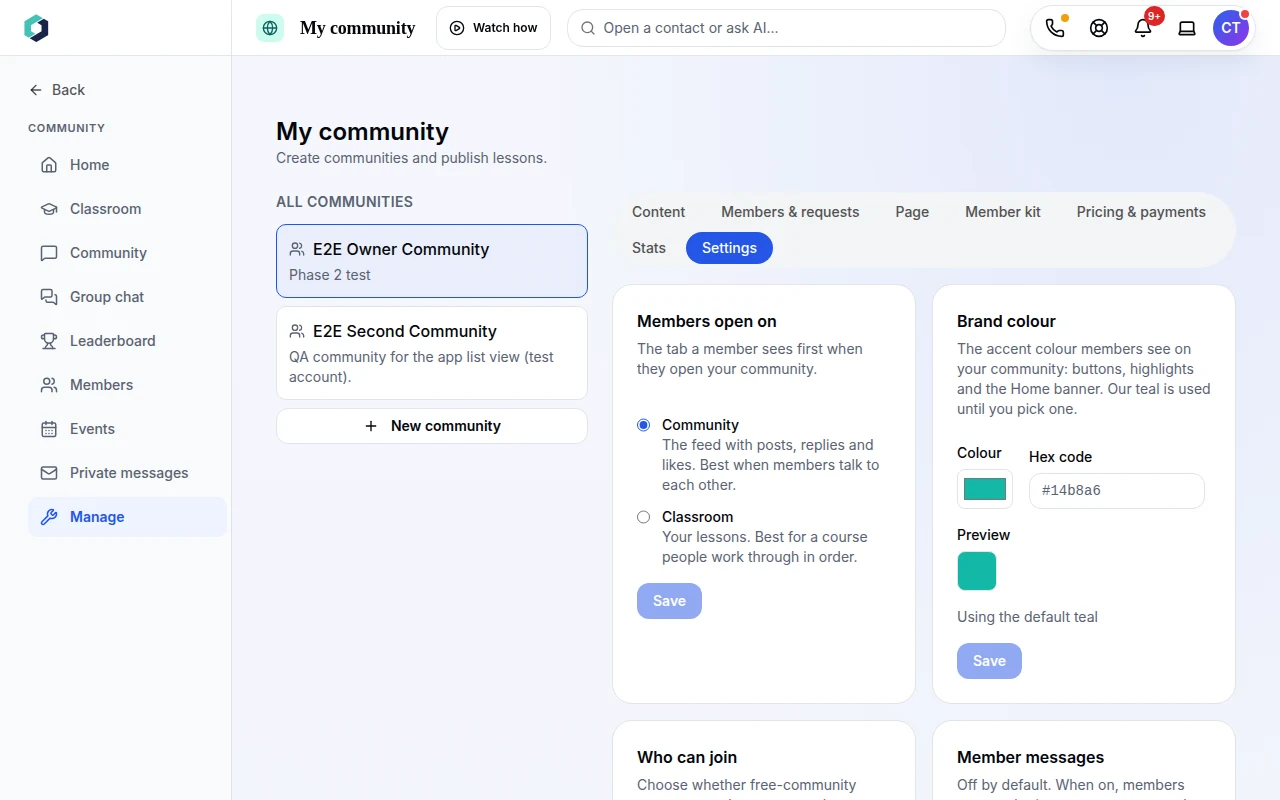 The Brand colour card. It shows the default teal until you save a colour.
Good to know
A streak stays alive until a full day passes with no activity. Members can hover over the streak line to see what counts.
Who has it
Group chat is on every community plan, Community Free included. Kudos, badges, levels and the leaderboard start at Community Free Plus. Member limits and prices differ by plan; the Free plan includes 25 members. Everything is on the pricing page.
Try it
Start a community and open the Group chat tab. No account yet? Start free. See what else a community includes on the pricing page.